Reckonar plans with what you know. Your stands, parking, trail cameras and sign shape every Plan and every Ask answer for that ground. In this guide you will record them with Mark, say how sure you are and find them again in Content. Then you will set up your Camp, invite people, share a Hunt Area with its Plans and learn who can do what.
Place a waypoint
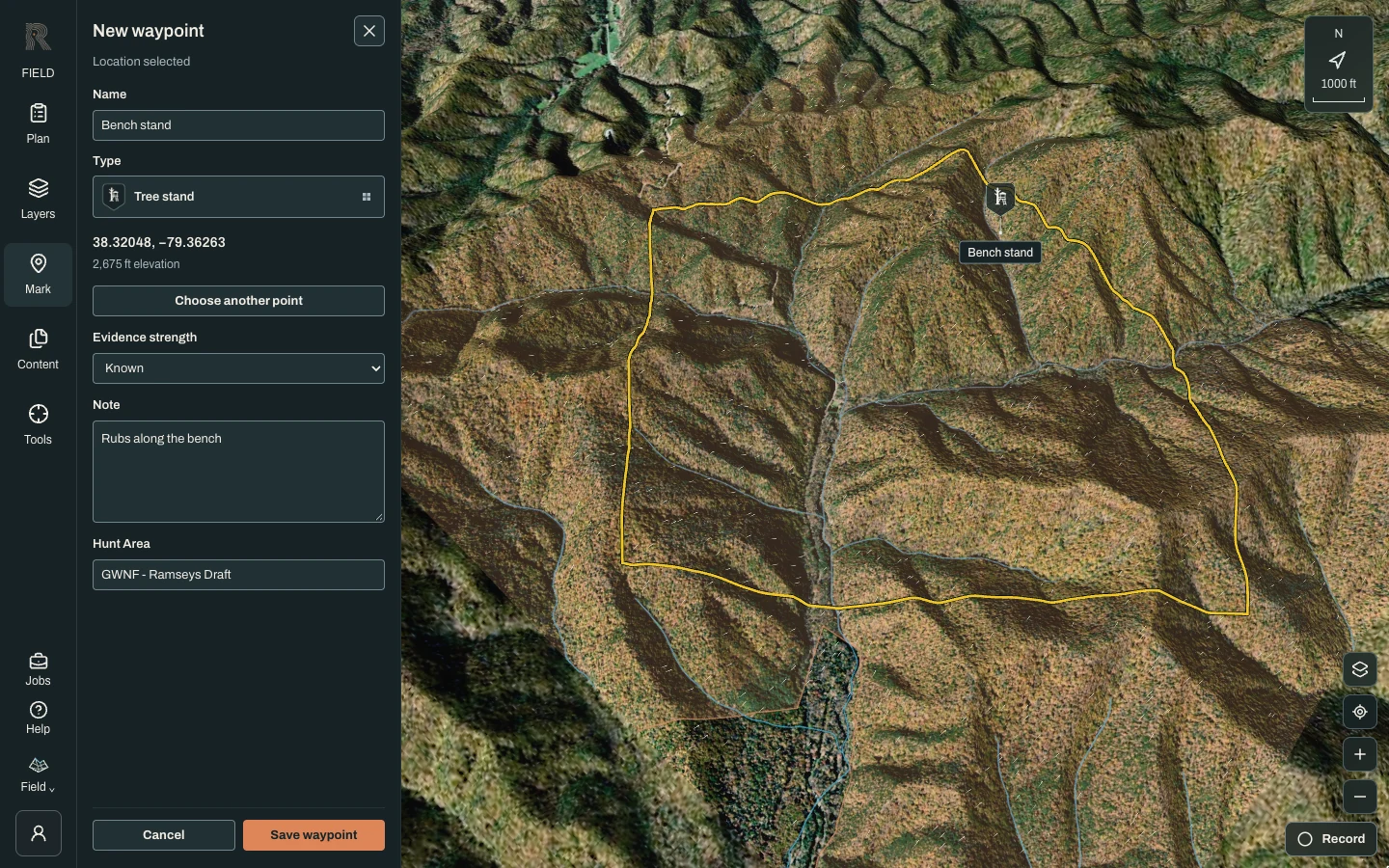
Choose Mark, then Place waypoint. Choose Type to open the type grid. Your favorites come first, and More types holds the rest, from Note, Tree stand and Trail camera to Parking and Hazard. Star a type to add it to your favorites. To set the spot in Scout on a desktop, click the map. In Field, or on a phone, choose Choose on map, click the terrain or pan the map under the marker, then choose Place here. On a phone, Mark my location uses your GPS fix instead.
Say what you found and how sure you are
Add a Name and a Note that answers “What did you find?”. Evidence strength has three settings. Possible, the default, is a useful lead that may be stale or uncertain. Known is direct knowledge. Confirmed current means you verified it recently on the ground. The Hunt Area line shows where the Mark will be saved, or “Private / unassigned” when no area is active. Choose Save waypoint.
Mark the things Plans use
A few Marks feed straight into Plan a Hunt. Saved Tree stand and Ground blind waypoints are evaluated as spots automatically. Parking waypoints are where walk-ins start. Use Draw map area and set its Area type: Off limits / no shot keeps Plans from shooting into that ground, Shooting lane marks a cleared lane, and Bedding area or Food plot add what you have seen to the deer model. Draw route records the way you actually walk in. Mark your existing Trail camera sites too, so Ask can reason about them.
Find it again in Content
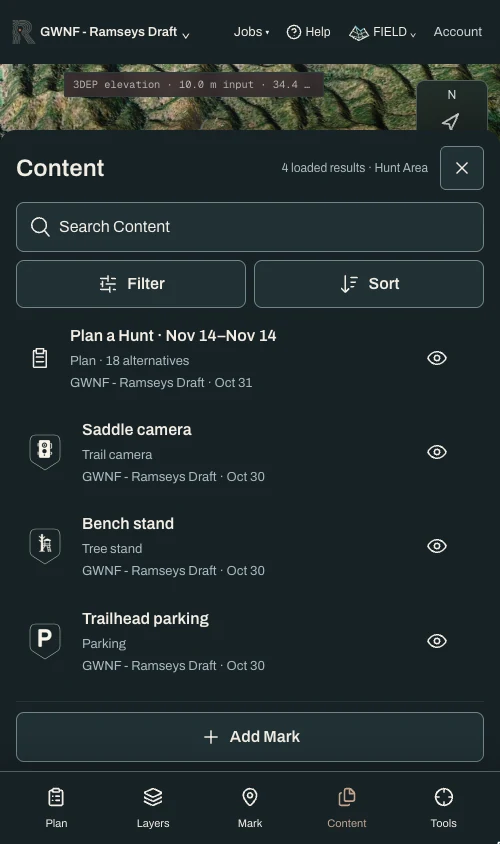
Choose Content. Search with Search Content, use Filter to pick a Content type such as Waypoints, Routes or Plans (in Scout, also the scope), and Sort by date, name or type. The eye on each row shows or hides it on the map; hiding never removes it from Ask. Select a row for Show on map, Edit, Ask about this mark and More details, which lists the author, revision and observed date. A Mark that overlaps more than one Hunt Area waits under More details for you to choose Assign to the right one.
Create a Camp
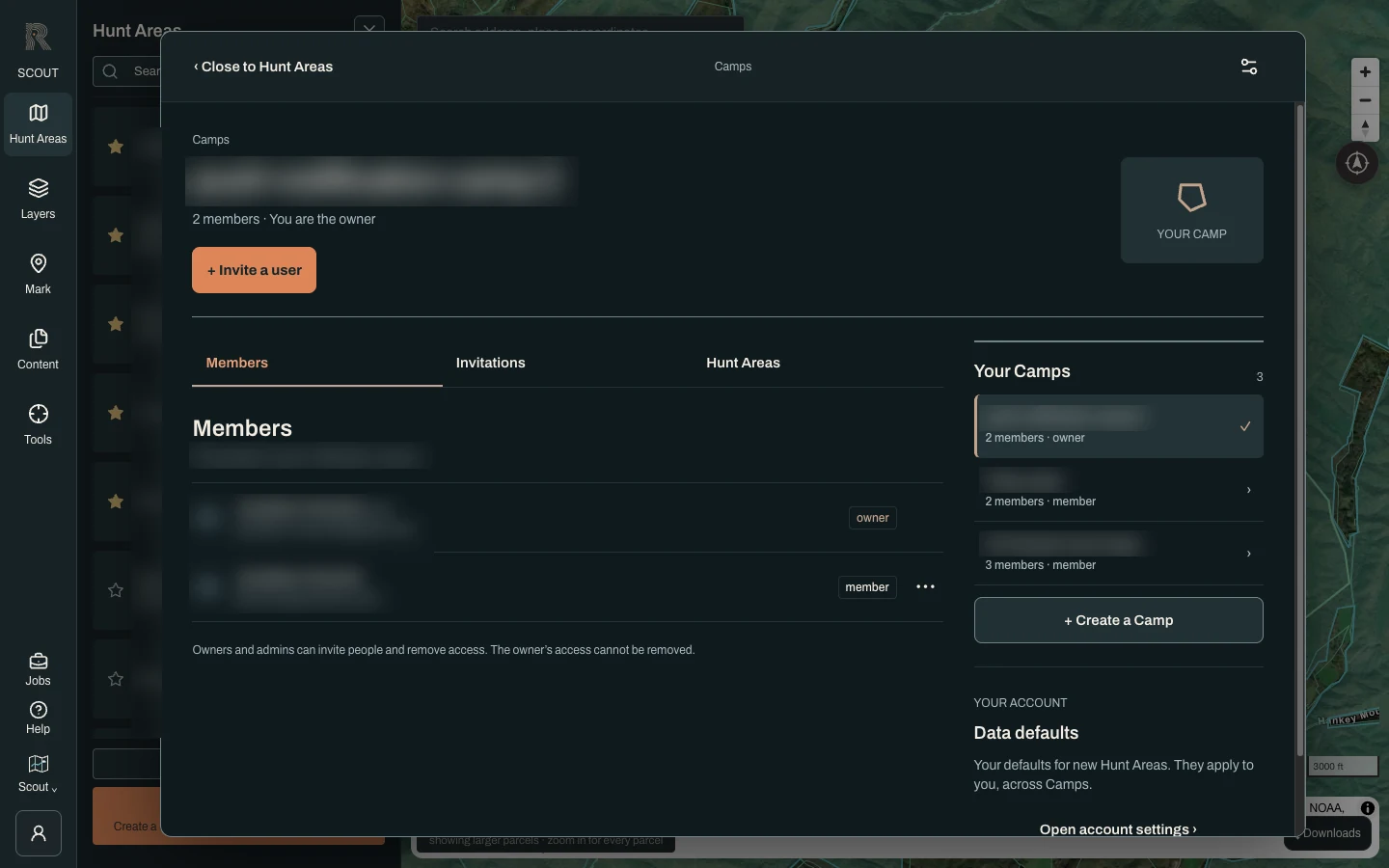
A Camp is the group you hunt with, whether that is a lease, a family or a couple of partners. Open Hunt Areas and choose Camps, or choose Camps in the account menu. Choose + Create a Camp and give it a name. You become its owner, and your personal workspace stays separate.
Invite people
Choose + Invite a user, enter their Email address, pick a Camp role (member, admin or viewer) and choose Send invitation. The Invitations tab tracks each one with Copy link, Resend and Revoke. An email sent does not mean accepted. The person signs in with that address, sees “A Camp is waiting for you” and chooses Accept invitation or Not now.
Share a Hunt Area and its Plans
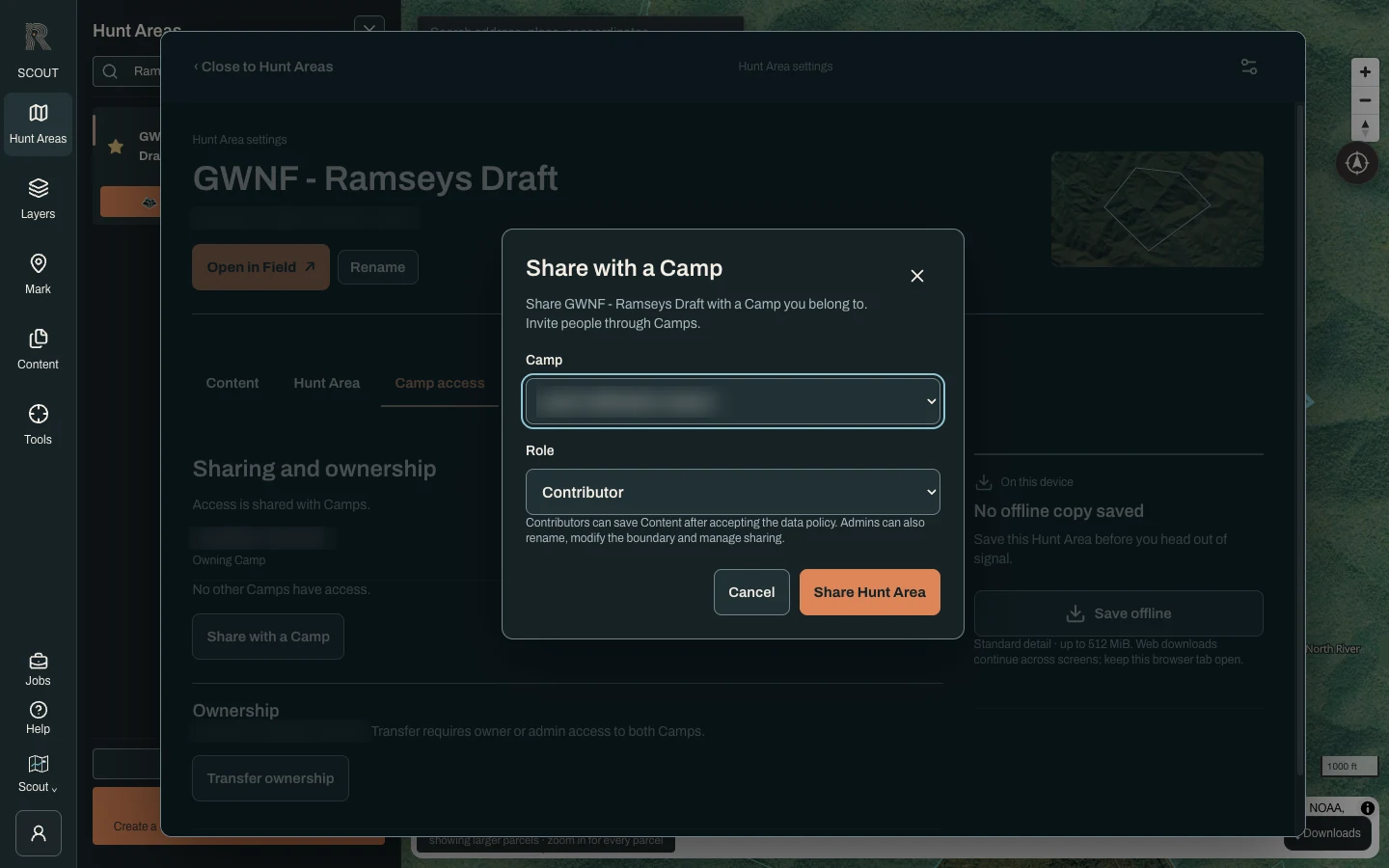
Joining a Camp shares no ground by itself. To share an area, select its card in Hunt Areas, open settings and choose Manage data. On Camp access, choose Share with a Camp, pick the Camp and a Role, then Share Hunt Area. Everyone with access sees its saved Plans and the Marks saved to it. You can also create a new area with Save to set to a Camp you own or administer.
Know the roles
Camp roles run the group: owners and admins invite people and remove access, and the owner’s access cannot be removed. Hunt Area roles run the ground. A Viewer can look. A Contributor can add Marks after accepting the area’s data policy, which Field asks for with Accept and participate. An Admin can also rename the area, change its boundary and manage sharing.
- A past sighting is not proof a deer is still there. Evidence strength and the observed date help Reckonar weigh it.
- A Mark made with no Hunt Area active stays private until you assign it. Ask Reckonar conversations are not shared with the Camp, even in a shared Hunt Area.
- Camps cannot be renamed, left or deleted yet, and roles cannot be changed in place. An owner or admin can remove someone’s access and invite them again with a different role.
- Marks record what you and your Camp saw. Reckonar never shows where a deer is right now.